As a company grows, the simplest questions become the hardest to answer: Who is actually doing what – and where can I find the latest version?
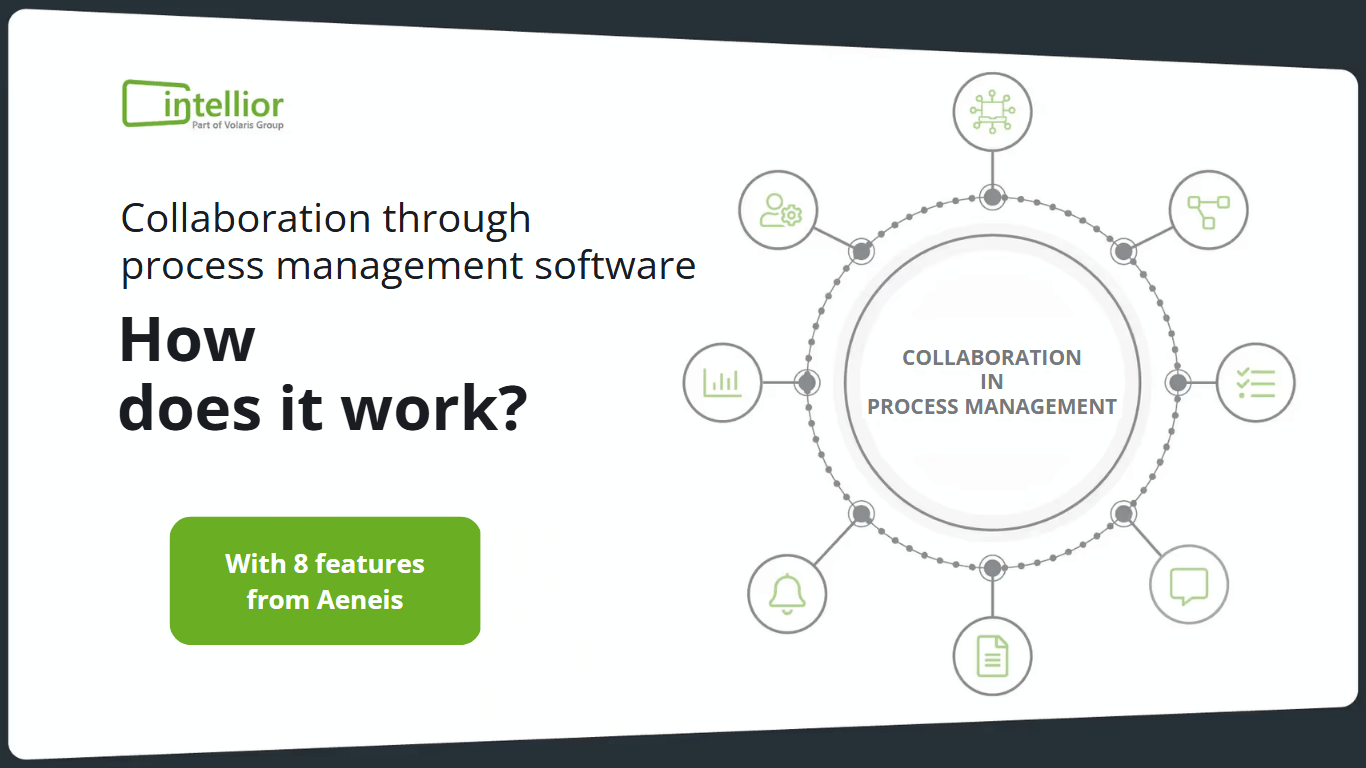
Distributed locations, cross-departmental workflows, and growing compliance requirements quickly lead to friction. Process management software addresses exactly this. This article shows how collaborative process management works in large teams and which eight features make all the difference.
But before we dive into features, it is worth looking at the root cause of many failed BPM initiatives. Dr. Kai Krings, who has been involved in the field for three decades, sums it up:
"The most important insight from three decades of BPM: process management does not fail because of process modeling – it fails because of a lack of process ownership. Anchored management processes are the lever that most companies overlook. With the role-based views in Aeneis, this lever becomes tangible, from strategy down to daily process control."- Dr. Kai Krings, Management Consultant, intellior GmbH
How does collaboration in large teams work with process management software?
Process management software consolidates processes, tasks, documents, and responsibilities on a central platform, making them accessible to all stakeholders in real time. Instead of working in parallel across email threads, file storage, and isolated tools, all team members access a shared, always up-to-date information base. The result: better coordination, clearer communication, and measurably higher efficiency, especially in organizations with many employees and locations.
This makes the software more than just a documentation tool. It becomes a shared workspace where processes are not just described, but actively lived.
Why collaboration in large teams hits a wall without a system
In small teams, coordination often happens informally. However, with every additional person, department, or branch, complexity increases disproportionately. Typical symptoms that many organizations recognize:
- Information silos: Knowledge is trapped in individual minds, local files, or outdated documents.
- Version control chaos: No one is certain whether the file at hand is the latest version.
- Unclear responsibilities: Tasks fall through the cracks because responsibilities are not documented.
- Communication overhead: Follow-up questions get buried in endless email chains and meetings.
- Lack of transparency: The status of a process or project is not visible at a glance.
These friction losses cost time, create errors, and make it difficult to meet compliance requirements. Collaborative process management software addresses exactly these weaknesses.
What is collaborative process management?
Collaborative process management describes the approach of modeling, executing, and continuously improving business processes collectively, transparently, and with system support. Unlike purely document-based process modeling all relevant roles are actively involved—from process owners and departments to executive management. The software provides the common framework for this: a single source of truth that everyone involved can rely on.
Eight features that help process management software improve teamwork
The following eight building blocks form the foundation for efficient collaboration. The BPM software Aeneis serves as an example of how these work together in practice.
1. Centralized platform & personalized access
All information—including processes, risks, systems, and documents—is stored in one place. Every team member receives personalized access, allowing them to view the company from their individual perspective while being able to switch views at any time. This ensures everyone can access current, relevant content from any location without having to sift through irrelevant information.
2. Visual process modeling
Workflows are represented as diagrams and flowcharts, such as in the BPMN 2.0 standard. This visualization helps every employee understand the overall process and their specific role within it. For example, in invoice processing, it becomes clear at a glance who enters a document, who performs formal and factual checks, and at what point an invoice is approved or corrected. Abstract requirements are transformed into clear, actionable instructions.
3. Task management & automation
Managers can assign tasks to specific team members, set deadlines, and define priorities. Recurring steps can be automated, which reduces manual errors and accelerates workflows. All open tasks appear on a central dashboard where they can be completed directly. No one needs to ask what comes next anymore.
4. Communication features
Comment sections and mentions anchored directly to the process enable collaboration in context. Questions are resolved where they arise, rather than in separate email threads. This encourages quick feedback and ensures that relevant discussions remain permanently linked to the respective process.
5. Document management & versioning
Documents are stored and managed directly within the software. Versioning features ensure that users always access the latest version and that every change remains traceable. This reduces conflicts during collaborative editing and creates a seamless, audit-proof change history—a key aspect for audits and compliance.
6. Real-time updates & notifications
Status changes to tasks and projects are visible in real time. Notifications can be configured so that team members are informed of relevant changes directly within the software and via email. This keeps everyone up to date at all times without the need for active searching.
7. Reporting & analytics
Comprehensive reporting tools make progress and efficiency measurable. Managers and teams can track the status of processes and communication, identify bottlenecks early, and make data-driven decisions for improvements. Gut feelings are replaced by reliable process controlling.
8. Role-based access control
In large teams, not everyone should be able to see or edit everything. Role-based access control (RBAC) manages permissions based on roles and responsibilities. This increases data security and supports compliance requirements—a key factor in regulated industries.
How the features work together in practice
The real added value doesn't come from individual features, but from how they work together. An end-to-end process like invoice processing is a perfect example:
- The process is visually modeled, so that every role knows their part.
- Incoming documents automatically trigger tasks with deadlines .
- Questions regarding verification are resolved via comments and mentions directly within the task.
- Approved documents are versioned filed.
- Status changes trigger real-time notifications to the next person responsible.
- The reporting makes it clear where processes are stalling.
This turns many individual activities into a transparent, manageable overall workflow.
What to look for when choosing process management software
Not every solution is right for every organization. These criteria will help you evaluate them:
- Standard compliance: Does the software support established notations like BPMN 2.0?
- Scalability: Does the system remain high-performing even with many users and locations?
- Permission concept: Can access rights be managed in a granular, role-based way?
- Integration: Does the solution fit into your existing IT landscape, for example via interfaces or collaboration tools?
- GRC capability: Are governance, risk, and compliance integrated into the approach?
- User-friendliness: Can occasional users find their way around quickly?
Conclusion: Collaboration as a competitive advantage
Efficient collaboration in large teams is not just a matter of good intentions, but of the right structures and tools. Process management software creates a central, transparent work environment where coordination, communication, and responsibilities are clearly defined. Breaking down information silos, making tasks visible, and ensuring version-controlled knowledge not only boosts productivity but also enhances transparency and compliance.
The eight functions described, from the central platform to visual modeling and role-based access control, demonstrate how collaborative process management succeeds in practice. The BPM software Aeneis combines these building blocks into one solution, helping large teams work together more efficiently and securely.
Would you like to increase collaboration, transparency, and productivity in your team? Test the BPM software Aeneis without obligation or speak with the intellior team about your specific requirements.

Frequently asked questions about collaboration in process management (FAQ)
What is process management software?
Process management software (BPM software) is used to model, execute, monitor, and continuously improve business processes. It visualizes workflows, assigns tasks, manages documents, and creates a central, transparent working foundation for all stakeholders. Aeneis combines these functions with integrated GRC capabilities for governance, risk, and compliance.
How does BPM software improve collaboration in large teams?
It consolidates processes, tasks, communication, and documents in one place. With personalized access, real-time notifications, context-aware comments, and a central task dashboard, all team members know exactly what needs to be done and where to find the latest information—regardless of their location.
How does role-based access control support compliance?
With role-based access control, employees only receive access to the information and functions required by their role. In Aeneis, permissions can be managed granularly based on responsibilities. This increases data security and supports the transparent adherence to regulatory requirements.
Can collaboration be organized across multiple locations using Aeneis?
Yes. Since Aeneis provides all content via a central platform, team members can access the same up-to-date information base regardless of their location. Real-time updates, versioning, and integrated communication features ensure that distributed teams work together smoothly and stay on the same page.