

A new process management software has been selected, the project team is in place, and the first processes are ready to be modeled. Everything is set to go. Yet, it is precisely at this stage that decisions are made which will later determine the success of the implementation.
If clear goals, responsibilities, or sufficient resources are lacking, even a powerful BPM software cannot reach its full potential. Time is invested and processes are documented, but little changes in day-to-day operations.
From our client projects, we are familiar with the typical pitfalls that repeatedly occur during the implementation of process management software.
Avoiding these mistakes is particularly important for mission-critical processes. These can include classic core processes, but also workflows in information security management or audit preparation. Such processes contribute significantly to ensuring quality and avoiding risks, financial losses, or unnecessary escalations.
Anyone looking to implement process management software should therefore look beyond just the technical implementation. Process management must become part of daily work.
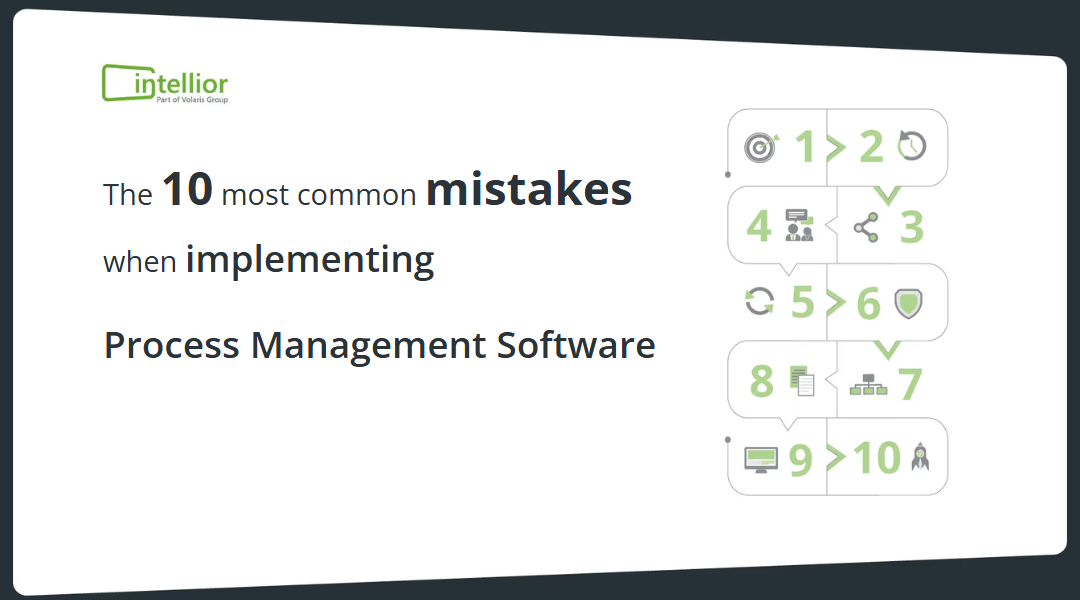
Mistake 1: No clear objectives
What exactly should be achieved with the new process management software?
This question sounds trivial. In practice, however, it often remains too general. Goals like "more transparency" or "digitizing processes" provide a direction, but are difficult to measure.
Without clearly defined goals, it becomes difficultto measure the success of the implementation and manage it effectively. This creates the risk that the software will not be used comprehensively or that the desired improvements will fail to materialize.
Therefore, define the results you want to achieve before starting the implementation. You can focus on different areas, such as uniform process standards, clearer responsibilities, better process documentation, or greater transparency regarding mission-critical workflows.
This creates a shared vision for the project across the entire team.
Relevant video:
Mistake 1 explained in a 60-second YouTube video.
Mistake 2: Allocating insufficient resources
Process management software doesn't maintain itself.
A successful implementation requires employees who take ownership, maintain processes, and support ongoing usage. If these resources are missing, additional tasks often fall to people who are already at full capacity.
This can lead to burnout, errors, and dissatisfaction. A lack of dedicated and qualified resources is one of the main reasons for failed software implementations.
So, don't just budget for the software. Also account for the personnel capacity needed for implementation, modeling, maintenance, and further development.
Relevant video:
Mistake 2 explained in a 60-second YouTube video.
Mistake 3: Modeling processes in too much detail
More detail doesn't automatically mean better processes.
Especially at the beginning, it's tempting to map out every edge case and every single step. This takes time and makes it harder to maintain an overview. We therefore recommend focusing first on the fundamental structure and mission-critical processes .
This is particularly relevant for mission-critical processes . Here, it must be clear what needs to be done, who is responsible, and which requirements must be met. Process documentation should provide guidance and not create new complexity.
Aeneis supports modeling using tools such as BPMN diagrams and an integrated rule check that detects modeling errors and provides suggestions for correction.
Relevant video:
Mistake 3 explained in a 60-second YouTube video.
Error 4: Not involving employees sufficiently
Process management rarely affects only one department.
The people who work with processes every day know them best. If these employees are not involved during implementation, valuable perspectives are lost. At the same time, acceptance of the new solution may decrease.
Involving different departments and hierarchical levels, on the other hand, promotes feedback, understanding, and support for change.
This is a key principle for us: process management should not end with documentation. Aeneis is designed to make relevant processes accessible and applicable in everyday work.
Relevant video:
Mistake 4 explained in a 60-second YouTube video.
Error 5: Underestimating change management
With a new BPM software it is not just tools that change. Often, workflows, roles, and the way information is provided also change.
Failing to explain and support these changes creates uncertainty. In the worst case, it leads to resistance against the new solution, and the desired improvements fail to materialize.
Change management should therefore be part of the implementation project from the very beginning. Explain why the company is changing its process management and what concrete benefits the new way of working brings to employees.
Relevant video:
Mistake 5 explained in a 60-second YouTube video.
Mistake 6: Not defining clear BPM governance
Who is allowed to create processes? Who reviews them? Who approves changes? Who holds the functional responsibility?
Without clear BPM governance, such questions remain unanswered. This can lead to inconsistent processes and impair a company's ability to effectively achieve and maintain its business goals.
Therefore, define roles, responsibilities, and binding rules. This creates a common framework for modeling and maintenance.
Aeneis offers, among other things, functions for versioning, review, and approval of model objects.
Mistake 7: Mapping an unrealistic organizational structure
The process management software should map your organization as it actually operates.
If the established structure is too complex or does not reflect real-world workflows and hierarchies, confusion quickly arises. This becomes particularly problematic when it comes to responsibilities and resources.
Therefore, do not start with a theoretical ideal. Base your approach on the actual organization and evolve the structure as needed.
Mistake 8: No modeling guide
If ten people model processes without shared rules, you can end up with ten different results.
A modeling guide establishes a binding standardFor example, it defines how processes are structured and named. This keeps models understandable and comparable.
Without such a guide, you risk inconsistencies and errors in your process documentation. A uniform standard, on the other hand, increases clarity and supports consistent modeling.
This common foundation is especially important when process management is to be used across multiple departments or locations.
Mistake 9: Considering interfaces too late
BPM software does not operate in isolation from the rest of the IT landscape.
Those who only look at necessary interfaces at the end of a project risk creating siloed solutions, data inconsistencies, and additional effort.
Check early on which systems and data sources need to be integrated.
Aeneis offers, among other things, interfaces to SharePoint, LDAP, and BPMN 2.0, as well as a REST API. This allows the software to be integrated into existing system landscapes.
Mistake 10: Only documenting processes instead of living process management
Perhaps the most important mistake comes last: introducing process management software does not mean that process management is actually taking place in the company.
Merely documenting processes is not enough. They must be used and implemented in everyday workso that improvements in efficiency and effectiveness can occur.
Especially with mission-critical processes, this distinction becomes crucial. Processes must be understandable and accessible to employees. Ideas for improvement and errors should be captured. Actions must be assigned to those responsible and consistently implemented. This is how documented workflows become lived practice.
This is exactly where we come in with Aeneis. Our software combines process management with governance, risk, and compliance. and creates a common platform for mission-critical processes and GRC topics.
Conclusion: A successful BPM software implementation begins before go-live
BPM software can provide an important foundation for more transparent, standardized, and manageable processes. However, success does not come from technology alone.
Clear goals, sufficient resources, a realistic process structure, and binding governance are just as important. In addition, there is the involvement of employees, well-thought-out change management, and interfaces planned at an early stage.
With Aeneis, you can map your process management on a central BPM and GRC platform and focus on your mission-critical processes. If you would like to get to know the software yourself, you can test Aeneis for 30 days for free. No credit card is required for the trial.
Or you can schedule a free live demo and have Aeneis demonstrated based on your individual requirements and processes.

FAQs
What is particularly important when introducing process management software?
A successful implementation begins with clear goals, sufficient personnel resources, and defined responsibilities. Equally important are the early involvement of employees, a modeling guide, and binding BPM governance. With Aeneis, companies can centrally model, maintain, review, and approve processes.
How does Aeneis support the introduction of standardized process management?
Aeneis helps companies model processes according to uniform standards and provide them centrally. Features such as BPMN diagrams, integrated rule checking, versioning, and review and approval procedures help build a consistent and traceable process landscape.
Why shouldn't processes just be documented with Aeneis?
Process management only delivers value when processes are understood, used, and further developed in everyday work. Aeneis makes relevant processes accessible to employees and connects them with responsibilities, risks, controls, and other GRC topics. This allows mission-critical processes, in particular, to be not just documented, but actively managed.
Can Aeneis be integrated into an existing IT landscape?
Yes. Interfaces should be considered early on when introducing BPM software. Aeneis offers, among other things, connections to SharePoint and LDAP, supports BPMN 2.0, and features a REST APIThis allows the BPM and GRC software to be integrated into existing system landscapes.