In today's constantly changing business world, efficient and flexible process modeling is essential. The Aeneis BPM software addresses this directly, offering companies an innovative approach to mapping and optimizing their business processes. With intuitive modeling tools, flexible visualization options, and seamless versioning, the Aeneis BPM software lays the foundation for smooth business operations.
Model Objects in the Aeneis BPM Software
Model objects are the core of process modeling. They consist of processes on the one hand and the various process steps on the other. Processes can, in turn, be divided into process groups and process folders.
For simple and intuitive modeling, individual elements in Aeneis are represented as individual model objects. You can find more information about model objects in the Online Help.
Tree Structure Visualization
In the Aeneis BPM tool, processes are displayed using a tree structure. At the top of this hierarchy are the process folders. Within these process folders are process groups, which in turn contain specific processes. These processes are composed of activities, events, and branches.

This type of organization allows all employees to model and organize their processes in a clearly structured and transparent manner. This enables shared access and a common understanding of processes. Ultimately, this simplifies navigation through complex process landscapes and promotes collaboration between different departments.
Creating Model Objects in the Aeneis BPM Suite
To model complex processes in Aeneis, the individual model objects must first be created. They serve as the building blocks for subsequently modeling and efficiently organizing business processes.
Creating such model objects in the BPM suite is both intuitive and flexible. This gives companies the ability to design their process landscape as efficiently as possible.
Quick Setup and WebModeller: Two Paths, One Goal
With Aeneis, you can create model objects in two different ways. The first and most direct path is via the portal. Simply navigate to "Quick Navigation" under "Processes." From there, you can create model objects using the menu.
The second path is via the WebModeller, the dedicated modeling environment in Aeneis. Here, employees are provided with a dynamic interface that is both user-friendly and feature-rich. In our Online Help provides a detailed explanation of the WebModeller.

In the model overview on the left side of the WebModeller, you can build and design your corporate structure from the ground up. This model overview is more than just a simple directory; it serves as a visual representation of your entire process landscape, helping you maintain a clear overview of all processes and their relationships.
BPMN Diagrams: The international standard for representing business processes
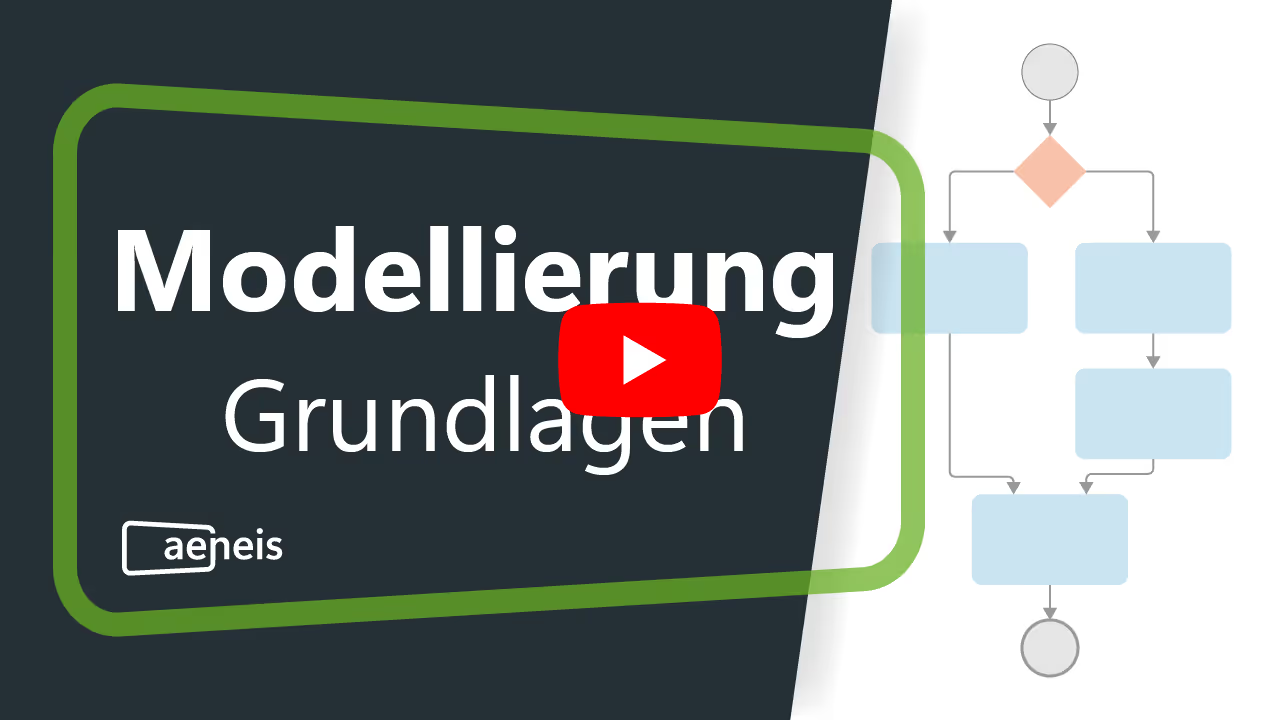
Another crucial aspect of process modeling in Aeneis is the use of BPMN diagrams. BPMN stands for "Business Process Model and Notation" and is an internationally recognized standard for representing business processes. The Aeneis BPM suite fully supports these BPMN diagrams.

Incorporating BPMN into Aeneis ensures that your business processes are understandable not only within your company but across the entire industry. This promotes seamless collaboration between different systems and ensures that your processes align with industry best practices and standards.
Modeling in the Aeneis BPM suite
Business processes can be represented and modeled in many different ways. Depending on the approach or preference of a company or individual employees, various modeling methods can be used. For this reason, the Aeneis BPM software offers a variety of modeling approaches.
Tabular modeling in the portal
A fast and direct way to model business processes in Aeneis is the tabular approach. Processes can be represented in a clear table directly within the portal. Here, individual process elements are not only defined, but responsibilities are also assigned, ultimately increasing the traceability of a process.

A special feature of this method is the automatic creation of the BPMN diagram based on the tabular input. This means employees can focus entirely on maintaining the data, while Aeneis automatically generates optimally aligned BPMN diagrams based on the provided information. This not only saves time but also ensures consistent and error-free process diagrams.
You can also find more information on tabular modeling in the Online Help.
Graphical modeling in WebModeller
For those who prefer a visual approach to modeling, Aeneis offers graphical modeling via the WebModeller. Process elements can be easily dragged and dropped into the BPMN diagram. The layout is automatically generated by the auto-layout tool to create an optimally aligned BPMN diagram.

Final versioning in the Aeneis BPM suite
Once business processes have been modeled and designed, it is important to document and secure them. This is beneficial not only for current understanding but also for tracking previous changes and the evolution of the process. Aeneis therefore offers a simple and direct method for versioning.
These versioned processes can, of course, also be forwarded for review and approval. This facilitates internal communication and feedback, ensuring that all stakeholders are involved in the process.
And for those who want a physical record or a clear representation of their processes, there is the option to print the modeled processes in a clear, concise report.

In conclusion, the Aeneis BPM suite provides a simple and efficient way to ensure the integrity and continuity of business processes through its versioning function. For a more detailed explanation of the versioning process we recommend our specialized article on this topic.
Get to know Aeneis without obligation with our free trial version
With its intuitive design for creating model objects and the integration of BPMN diagrams, Aeneis offers your company clear advantages:
- Efficiency: You can model and organize complex processes with just a few clicks.
- Flexibility: Processes can be modeled either in table format or graphically, as you prefer. This allows even employees with little prior experience to capture processes accurately.
- Standardization: Using BPMN ensures that your processes meet international standards, which facilitates collaboration with partners and stakeholders.
With Aeneis, you are perfectly equipped to model your business processes optimally and prepare your company for the future. Feel free to try our free trial version of Aeneis to get to know the BPM suite in practice.

FAQs
Why is efficient process modeling so important for companies?
Clear and structured process modeling creates transparency, improves communication, and reduces sources of error. Modern BPM systems like Aeneis make it possible to document, visualize, and continuously optimize processes centrally, which can be a decisive advantage in dynamic markets.
How can complex business processes be presented clearly?
Presenting processes in hierarchical structures, such as a tree structure, helps to organize even extensive process landscapes in an understandable way. In the Aeneis BPM suite, processes, groups, and folders are logically structured so that relationships can be intuitively recognized and navigated.
Which process modeling methods are suitable for different requirements?
Both tabular and graphical modeling have their strengths. While tabular representation allows for quick input and clear assignments, graphical modeling in BPMN format provides a visual overview. The process management software Aeneis supports both approaches, allowing for maximum flexibility in your work.
Why is the standardization of processes so significant?
International standards like BPMN create a common understanding of processes, regardless of department or location. The BPM software Aeneis fully integrates BPMN, ensuring that modeled workflows remain understandable and compatible both internally and externally.
How can companies ensure that their process documentation remains up to date?
Versioning is the key here. With systems like Aeneis, changes can be tracked automatically and older versions archived. This ensures transparency throughout the entire lifecycle of a process and simplifies audits and approvals.
How can employees without in-depth modeling knowledge capture processes?
User-friendly tools like the WebModeller, the modeling environment in the Aeneis BPM software, make process modeling accessible even to non-experts. Intuitive operation, drag-and-drop functions, and automatic layouts simplify the creation of consistent process diagrams.
What are the overall benefits of a digital platform for process management?
A central BPM solution like Aeneis combines efficiency, standardization, and collaboration. Companies benefit from a unified database, automated documentation, and a transparent process landscape, which serves as the foundation for sustainable improvement and successful digitalization.