With the Aeneis BPM suite, you can not only model and manage your processes but also centrally integrate all relevant documents and connect relevant content.
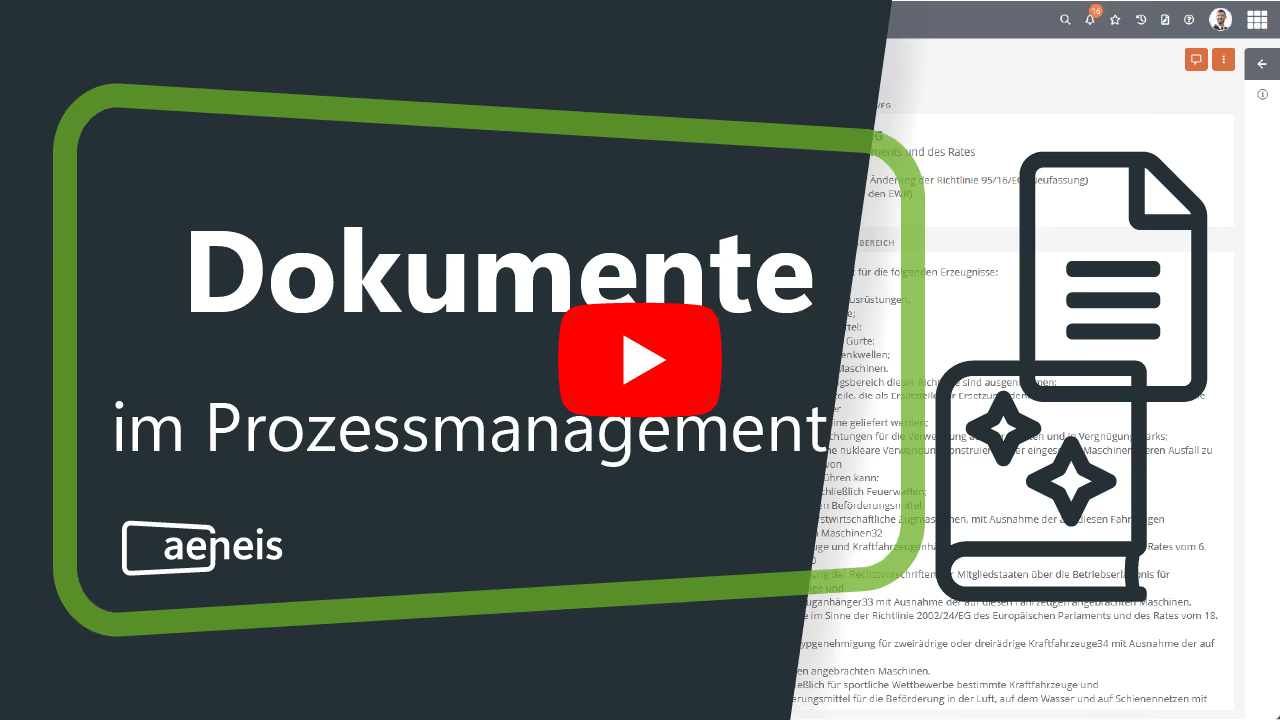
In the world of process management, Aeneis stands out for its advanced integration capabilities. This innovative BPM software revolutionizes how companies handle documents. With Aeneis, you can seamlessly link both external and internal documents within your process modeling and efficiently connect relevant content. This feature not only facilitates the organization and accessibility of information but also promotes an integrated way of working. Learn here how you can optimize your workflow and increase your employees' productivity with Aeneis.
Integrating external documents in Aeneis
The ability to seamlessly integrate external documents is a key advantage of Aeneis. For example, you can easily upload existing files or include links to documents.
This approach offers you flexibility and speed. With Aeneis, you are not forced to transfer your documents into a new format or system. Instead, you open and edit your documents directly from the BPM suite. This not only saves time but also increases efficiency in your company.
Linking your documents
With Aeneis, you have the option to link external documents with other objects, such as processes, within the suite. These links are not only practical but also strategically valuable. They allow you to gain a comprehensive overview of the usage and relevance of each document in the context of your business processes.
Visualization for better control and overview of your documents
The network diagrams integrated into Aeneis visualize documents and their relationships. You can see at a glance where a document is used and who is responsible for it.

Handling Word documents in Aeneis
In Aeneis, handling Word documents is simplified through an innovative integration. Word documents in Aeneis fall under the category of external documents, with a Word template already attached.
This flexibility allows you to adapt the template to your needs or replace it with your own Word document. This saves time and makes work easier, as you don't have to start from scratch every time, but can instead build on a solid foundation.
Creating and editing external documents in Aeneis
Creating and editing an external document in Aeneis is an intuitive process. First, enter a name for the document and select the storage location. Aeneis offers the flexibility to either upload a file directly or provide a link.

Once the document has been created and opened, you can add further properties in the right sidebar, such as assigning a person responsible. In addition, the menu on the stored file offers other useful actions, such as opening or replacing the file. This makes document management efficient and user-friendly.
In our online help for external documents you can read in detail how to integrate documents into Aeneis.
Document management with the WebDAV function in Aeneis
The integration of the WebDAV function in Aeneis is another highlight that simplifies document handling. Once you activate the WebDAV function in Aeneis and attach a Microsoft Office file to a document, it allows you to open and edit the file directly in the corresponding Microsoft Office program.
The special feature here is that any changes you make are loaded directly and automatically into Aeneis. This function saves valuable time and reduces the effort associated with manually uploading updated documents.
Innovative SmartDocs in Aeneis
The second document type in Aeneis is the so-called SmartDoc. These are not only unique but also extremely practical. Unlike external documents, SmartDocs are available directly in the Aeneis portal. This means that their content is maintained and displayed immediately within Aeneis.
SmartDocs therefore offer an enormous advantage in terms of accessibility and up-to-dateness. Documents no longer need to be gathered from various sources; instead, they are centralized and always available in their current version.
Clear structure and navigation
Thanks to the clear structure of SmartDocs in Aeneis, your employees always stay on top of things. The main content of the document is displayed in the center area, where it can also be edited. The individual chapters are listed one below the other.
For maximum flexibility, both complete SmartDocs and individual chapters can be linked to other objects, such as processes.

The table of contents on the left shows the document's structure and serves as a navigation tool within the document. This intuitive navigation helps in finding specific information and makes working with it significantly easier. Thus, SmartDocs in the Aeneis BPM suite contribute significantly to easier handling of extensive documents.
Creating a new document: The first step
Creating a new SmartDoc is a breeze with Aeneis BPM software. The easiest way to do this is via the portal home page. Clicking "Create document" in the quick-start menu opens a pop-up where you can select the desired document type.

This quick and simple method makes creating documents a seamless process that requires no extensive IT knowledge.
Create and edit SmartDoc
When creating a new SmartDoc in Aeneis, an empty document is generated that you can edit immediately. Click on the white area of the document to activate edit mode and start entering your content right away.

This direct and intuitive editing feature allows for fast and effective document creation.
You can find more information on editing SmartDocs in our online help.
Create a chapter in SmartDocs
Structuring content in SmartDocs is further optimized by the simple creation of chapters. Click the "Create SmartDoc chapter" button to start organizing your documents. Chapters appear in the table of contents, where they can be sorted and nested as desired using drag-and-drop.

In addition, the right sidebar allows you to define properties, assign responsibilities, or link the SmartDoc or a SmartDoc chapter to a process. These features provide not only clear structure but also seamless integration into existing business processes. Afterward, versioning and approval processes can be initiated.

Discover Aeneis and its document management: 30 days free of charge
Take the opportunity to try Aeneis with a 30-day free trial to get to know us. This no-obligation opportunity allows you to test the powerful BPM suite within your company and experience the increase in efficiency for yourself.
Explore Aeneis' innovative document management and process optimization and discover how it can enhance your business operations. Get started now and experience the difference.
FAQs
Why should document management be closely linked to processes?
When documents are directly linked to process steps and responsibilities, search times and error rates decrease. In the Aeneis BPM software, files and links can be attached to activities, roles, or objects with precise context, including visibility into usage and accountability.
How do documents remain up-to-date and easy to find in dynamic organizations?
Centralized storage, clear metadata, and versioning are crucial. The Aeneis BPM software provides a repository with network diagrams that show where a document is used, who is responsible, and which version has been approved.
How can existing Office documents be reused without creating media discontinuities?
Ideally, files should be opened and saved where they are created. Through WebDAV integration, Microsoft Office files can be opened directly from the process context within the Aeneis BPM software. Changes are saved back without manual uploading, ensuring efficiency and audit compliance.
What is the advantage of maintaining content directly in a central process portal rather than as a file?
Portal-based content is immediately available, searchable, and always up-to-date. With SmartDocs, documents in the Aeneis process management software are managed chapter by chapter within the system; individual chapters are linked to processes, and intuitive navigation is provided via a table of contents, properties, and assigned owners.
How do you keep track of numerous policies, templates, and records?
Transparency is created through visualization and relationships. The Aeneis BPM suite uses network diagrams to show which processes, roles, and systems are connected to a document. This makes dependencies, gaps, and redundancies quickly identifiable.
How can responsibilities in the document lifecycle be clearly defined?
Clear responsibilities for creation, review, and approval are essential. In the Aeneis BPM tool, those responsible are assigned within the document properties. Approvals and versions are managed via defined workflows, ensuring that audit and compliance requirements are reliably met.
How does a BPM system support productive work with templates and standards?
Standardized templates accelerate creation and ensure quality. The Aeneis BPM suite provides, for example, Word templates for external documents, allows for their customization, and links them to processes—including direct opening, replacing, and reporting on current validity status.