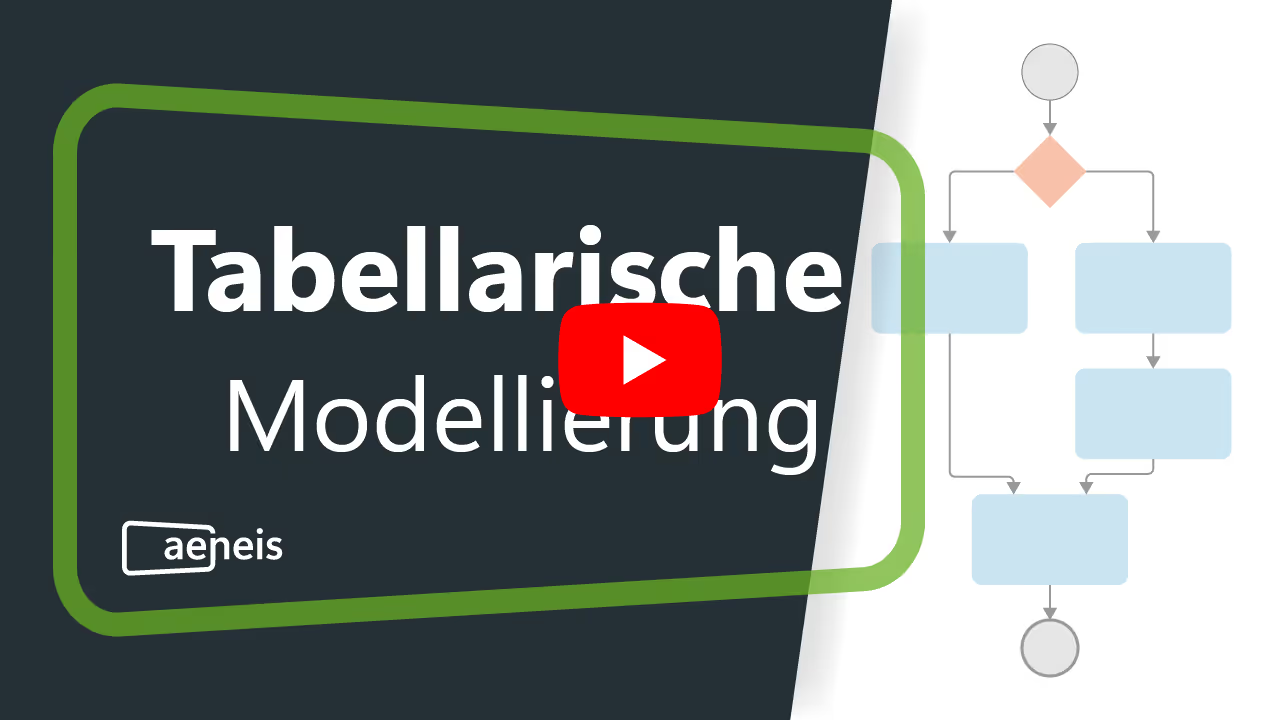
Tabular modeling allows users to model processes simply and intuitively using tables. Thanks to this unique feature, even employees without extensive prior knowledge can model processes in the Aeneis BPM software. Here, we would like to show you how Aeneis optimizes this modeling technique and the benefits your company can gain from it. We will also take a look at the innovative approach of the BPM suite. Get ready to make your business processes even more efficient.
Create a process and open it in the SmartModel view
Tabular modeling offers an intuitive and simple introduction to process modeling. This allows even employees without BPMN knowledge to create optimal BPMN diagrams and visualize business processes in seconds. Instead of digging through complex menus and options, you can get started with just a few clicks.
If a process already exists, simply open it in the portal. If you want to start from scratch, click the “BPMN Diagram” tile on the main page. Give your process a name and select the storage location. Then, by clicking “Next,” you can choose to start with tabular modeling. The entire view is designed to be intuitive, and you can switch between views at any time.

Creating process elements in the table
Modeling business processes is often perceived as a tedious and complex task. With the innovative SmartModel view, process modeling in Aeneis is simplified, offering a refreshingly intuitive and efficient approach.
The intuitive SmartModel view
With tabular modeling in the SmartModel view, processes in Aeneis are clearly structured using tables. This promotes understanding and facilitates communication within the team, allowing you to focus exclusively on filling in the content rather than complexly modeling the process diagrams.
In the so-called SmartModel view of a process, process content is displayed in a table. Process content can thus be added or edited directly in the table within the portal. The corresponding BPMN diagram is automatically generated by the Aeneis BPM software.
When opening a new process in the SmartModel view in Aeneis, a pre-created start event is displayed immediately. This simple yet effective approach ensures that employees can start modeling the process right away. You can find more information about the SmartModel view in our online help.

With just a few clicks, you can build on this to add and edit various process elements. Directly adding tasks and other process elements from the context menu makes modeling incredibly simple.

Of course, you can add various process elements such as events and branches. This allows you to model not only simple but also complex processes using tabular modeling.
Automatic generation of BPMN diagrams
As you work in the table, the corresponding BPMN diagram is generated automatically in parallel. This approach ensures that employees always have a clear overview of the process, guaranteeing a consistent representation of your processes at all times.
This also prevents potential errors that could occur when transferring tabular data to a diagram.

Tabular modeling of different paths in Aeneis
To represent complex business processes, you need to use branches in your modeling. These represent decision points where different process paths can be followed depending on the situation. Aeneis makes it easy to create and clearly define these paths.
How to create branch paths in Aeneis
In the Aeneis BPM suite, you can easily add a branch and then model the different paths. The modeling process is exactly the same as for regular process elements. This seamless integration of branches into the standard modeling workflow makes it easy to map even complex processes without significant extra effort.

The menu is available to you at all times. Here, you can choose whether you want to create a completely new path or integrate the new shape into an existing path.
This allows you to either create new paths or extend existing ones. Employees can map processes exactly as they envision them. Changes to existing processes can also be made easily without having to remodel them from scratch.
Automatic path labeling
In the Aeneis BPM suite, paths are named automatically. When creating branches, paths are labeled as "Yes" and "No" paths by default. This ensures clarity and prevents misunderstandings.

This automatic naming of paths not only saves time but also ensures that labels are consistent and unambiguous.
Once the branch paths have been defined, you can continue modeling the process as usual.
Linking elements in tabular modeling
Linking process elements is often a challenge when modeling business processes. With SmartModel table modeling, Aeneis tackles this step with a combination of intuition and automation.
To connect a shape to an existing one, start directly from the desired shape. Create a new connector here. An intuitive menu will then allow you to select the target shape to which the connector should be drawn.

Once the target shape is selected, the connector is drawn automatically. But that’s not all—the entire diagram is automatically optimized using the AutoLayouter to ensure that all elements and connections are displayed clearly and logically.

By minimizing the need for manual adjustments, employees save time and reduce potential sources of error. At the same time, the automatic layout guarantees a clear and professional presentation of the diagram.
If you would like to learn more about creating and deleting connectors, please feel free to check our online help for more information.
Assigning responsibilities in tabular modeling in Aeneis
Defining responsibilities is a central aspect of tabular process modeling. It ensures that every step and decision is assigned to a specific actor or group, which provides clarity, accountability, and efficiency. The BPM software Aeneis facilitates this task through an intuitive and systematic approach within the SmartModel table.
Assignment based on the DEBI principle
In Aeneis, responsibility assignment is enabled through the DEBI columns (Durchführung, Entscheidung, Beratung, Information), which correspond to the English RACI model (Responsible, Accountable, Consulted, Informed). These columns are designed to identify the individuals or teams responsible for the process in their respective roles. The system allows employees to simply click into a cell and select the appropriate person or people from a list.

This approach offers several advantages. First, it ensures a clear and consistent representation of responsibilities across the entire process. Second, the intuitive user interface simplifies the assignment process and reduces the risk of errors or omissions. Finally, the structure of the DEBI columns encourages a comprehensive view of the various areas of responsibility, ensuring everyone knows who is responsible for what.
Swimlanes for tabular modeling in Aeneis
Tabular modeling is just as effective when it comes to mapping responsibilities in a BPMN diagram. The responsibilities added in the DEBI columns are automatically mapped as swimlanes in the BPMN diagram.
The process elements (shapes) are also automatically placed in the appropriate swimlanes, exactly as you defined them in the table. This is how the BPM software Aeneis ensures a logical and clear presentation at all times.
Test Experience tabular modeling with Aeneis in your company
Aeneis stands out for its intuitive and automated approach to tabular process modeling. This BPM software gives you the ability to clearly define processes, assign responsibilities, and manage swimlanes automatically—all within a seamless and efficient system.
This not only saves time but also minimizes human error, leading to more precise and professional business processes.
Discover tabular modeling with Aeneis through our free, no-obligation trial version in your own company.
FAQs
Why is a simple method for process modeling important?
Many employees do not have specialized BPMN knowledge. A simple, tabular method lowers the barrier to entry and makes it possible to document processes without technical hurdles. The Aeneis BPM software supports this approach with an intuitive interface that clearly structures complex workflows in a table. The corresponding process diagram is automatically generated by the system.
How can the quality of process documentation be ensured?
Automation is the key to consistent and error-free process representations. Aeneis automatically generates BPMN-compliant diagrams from tabular input, aligns them optimally, and thus ensures a uniform and comprehensible process landscape.
How can responsibilities and roles in processes be clearly defined?
A clear assignment of responsibilities creates transparency and avoids misunderstandings. In the Aeneis process management software, roles are assigned directly in the table based on the RACI principle (Responsible, Accountable, Consulted, Informed) and are automatically visualized in the process diagrams.
How can companies ensure that all employees understand processes?
Clear structures and visual representations foster a shared understanding. With the BPM tool Aeneis, processes can be captured in table format and automatically converted into clear diagrams, making workflows easy to follow even for non-specialist employees.
How can process changes be implemented efficiently?
When workflows change, adjustments must be possible quickly and with minimal effort. In the BPM software Aeneis, processes can be easily edited in tables, and the system then automatically updates the corresponding diagram. This ensures that documentation always remains up to date.